
Are your reps making outbound calls every day yet still watching leads go cold before follow-up?
Have you looked at your CRM and found contacts still sitting at the same stage they were two weeks ago, even though your team called them?
If your team is making enough calls but still losing warm opportunities, the problem almost always lies after the call ends. One skipped step, one unlogged outcome, one follow-up left to memory, and a lead that was ready to move forward sits untouched until it goes cold.
After working with outbound sales teams across insurance, real estate, financial services, and sales-driven agencies, the pattern at TurboDial is consistent. Leads are going cold because the process between outbound calls has no structure to keep them moving.
In this article, you will see exactly where leads fall through between calls, why CRM automation often fails to catch them, and what a structured outbound process does to stop it.
Why Leads Go Cold Between Outbound Calls
A lead goes cold when too much time passes between the moment they expressed interest and the moment your rep follows up. That window is shorter than most managers realize.
According to InsideSales, leads contacted within five minutes of expressing interest are more likely to convert than those reached an hour later. By the next day, the odds drop significantly. By the end of the week, most of those leads have moved on.
The gap between outbound calls is where most lead loss happens.
Your reps might be working through a manual process that slows them down at every step. By the time they get to a lead that needs a follow-up, that lead has already gone cold.
What Is Happening Inside the Gap Between Calls
The gap between outbound calls is filled with work that has nothing to do with selling. After every call, a rep typically:
- Logs the outcome manually to the contact record
- Updates the contact stage in the CRM
- Decides what the next step should be
- Creates a task or reminder for the follow-up
- Finds the next contact on the list
- Dials the next number manually
Every one of those steps takes time. Over the course of a full calling session, that overhead adds up to hours your reps spend managing the process rather than working through it.
When reps spend more time between outbound calls than on them, the leads that need follow-up wait longer than they should, and the ones that go cold first are usually the warmest.
How a Missing Next Step Turns a Warm Lead Cold
Every outbound call should end with a defined next step: callback date, follow-up task, or a campaign that triggers automatically.
When that next step is left to the rep to remember, it usually gets forgotten. Not because the rep is careless, but because they are moving through a list of 60 to 80 contacts a day and relying on memory to track what each one needs.
Here is what that looks like in practice:
- A rep speaks with a prospect who says to call back Thursday
- The rep does not log a callback task because the next call is already starting
- Thursday arrives, and the contact sits untouched
- The prospect moves on, and the lead is gone
A warm lead without a defined next step is a lead your team has already started to lose.
The fix is building the next step into the call process so it cannot be skipped.
Why Follow-Up Automation Cannot Run Without the Right Data
Most sales teams have follow-up sequences built inside their CRM. Emails, tasks, stage changes, and reminders that should fire automatically after a call ends.
But those sequences depend entirely on the rep logging the outcome. When a rep skips the disposition screen or selects the wrong option, the automation never fires.
The contact has no follow-up running on their behalf, and there is no explanation in the CRM for why.
Follow-up automation that depends on manual input will always have gaps, and those gaps are where your warmest leads go cold.
What a Structured Outbound Call Process Does to Reduce Lead Loss
When the process for outbound calls is structured, leads stop falling through the cracks. Here is what that looks like:
- The dialer moves through the contact list automatically, so reps never pause to find the next number
- The disposition screen appears after every call, so the outcome gets logged before the rep moves on
- The logged disposition fires the correct CRM campaign immediately
- Follow-up emails are sent, tasks are created, and callback reminders appear without the rep touching anything manually
- Every interaction logs to the contact record, so the manager sees the full picture in real time
When the structure handles the mechanics, your reps focus on conversations, and your leads move through the pipeline the way you designed it.
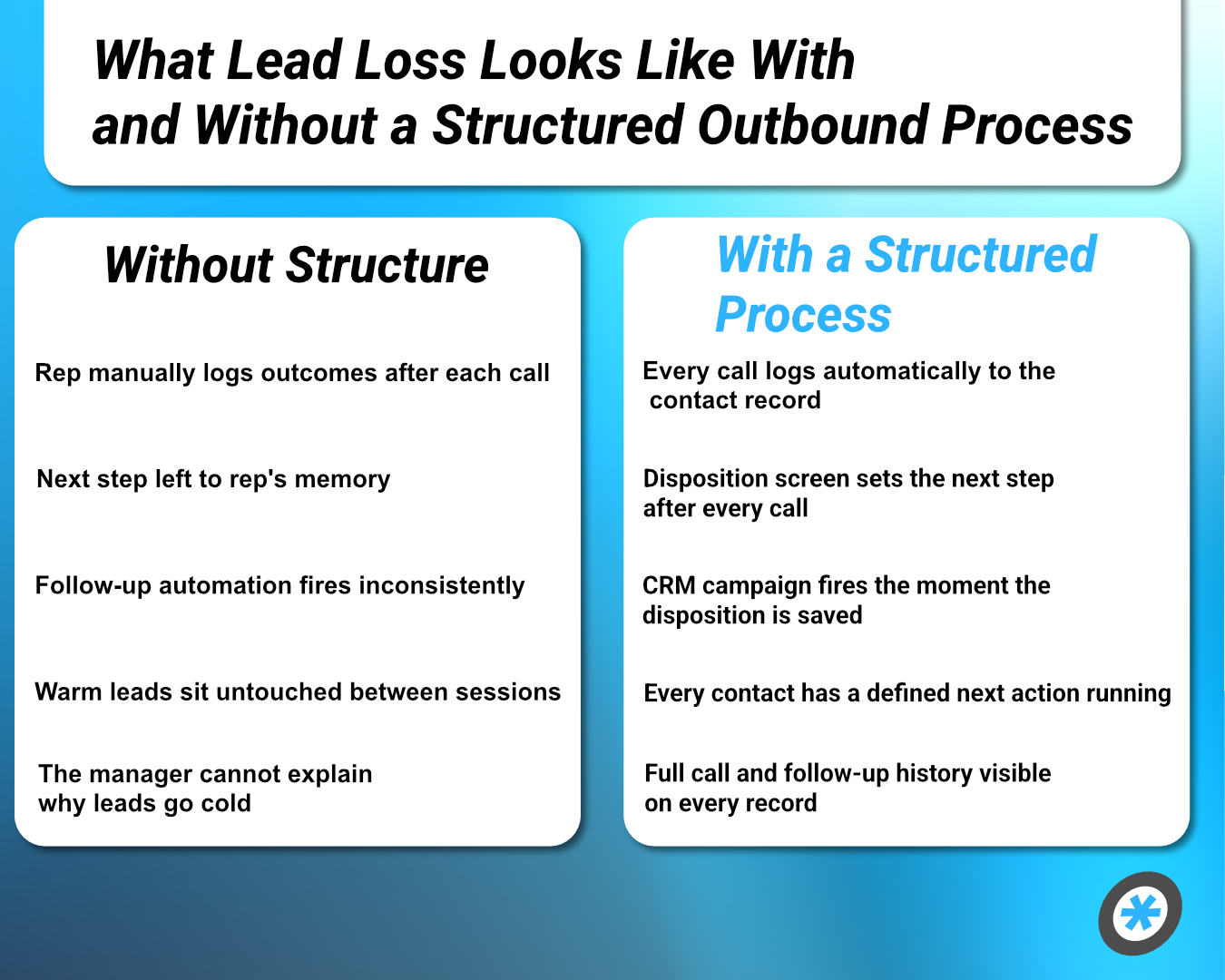
Without structure → With a structured process
- Rep manually logs outcomes after each call → Every call logs automatically to the contact record
- Next step left to rep's memory → Disposition screen sets the next step after every call
- Follow-up automation fires inconsistently → CRM campaign fires the moment the disposition is saved
- Warm leads sit untouched between sessions → Every contact has a defined next action running
- The manager cannot explain why leads go cold → Full call and follow-up history visible on every record
What Your Pipeline Looks Like When Leads Stop Falling Through
Your team is making outbound calls every day. The leads are there, and the sequences are built. What has been missing is the structure that connects the call to everything that follows.
Every lead that went cold between calls did so because one step in the process was left to memory, and memory is not a system.
The teams that stop losing leads on outbound calls are those that have removed the manual steps between each call and each follow-up.
TurboDial connects directly to HubSpot, AgencyZoom, Keap, HighLevel, and ActiveCampaign. Every disposition fires the right CRM campaign immediately. Every call, voicemail, and text message automatically lands in the right contact record.
Package 1 starts at $20 per user per month. Package 2 includes a dedicated phone number, 1,000 text messages, and 1,000 voice minutes per month at $50 per user per month. No contracts. No cancellation fees.
To see exactly how the follow-up gap gets closed at the source, read How Call Dispositions Drive CRM Workflow Automation.
Frequently Asked Questions
Why do leads go cold between outbound calls?
The most common cause is a gap in the follow-up process. When the next step is left to the rep to remember after every call, warm leads wait longer than they should, and go cold before the follow-up happens.
How do outbound calls connect to CRM follow-up automation?
Every outbound call should end with a logged disposition that indicates what happened and what should follow. When that disposition fires automatically, the right campaign runs immediately. When it gets skipped, the automation never starts.
What is the fastest way to stop losing leads between calls?
Remove the manual steps between every call and its follow-up. A power dialer that automatically logs outcomes and triggers CRM workflows on disposition removes the gap where most lead loss occurs.
How does TurboDial prevent leads from falling through between outbound calls?
TurboDial automatically moves through contact lists, surfaces the disposition screen after every call, and triggers the corresponding CRM campaign the moment the rep saves the outcome. Every lead has a defined next step.
Keep Leads Moving After Every Call
Read how disposition-triggered CRM workflows close the follow-up gap at the source: How Call Dispositions Drive CRM Workflow Automation.