
Is your follow-up automation running after every call, or only after the calls where your rep remembered to save the outcome?
Have you built sequences in your CRM that depend on call results, only to find contacts falling because the disposition never got logged?
Most sales managers assume broken follow-up is a CRM problem. The sequences look right. The logic is correct. But contacts keep slipping through, and nobody can explain why.
The answer is almost always sitting one step earlier in the process. Before your CRM can act on a call, your rep has to tell it what happened. When that step is inconsistent, your CRM workflow automation cannot run the way you built it.
At TurboDial, we build calling tools for outbound sales teams across real estate, insurance, financial services, and sales-driven agencies. The most consistent follow-up gaps we see are disposition failures that automation never had a chance to fix.
In this article, you will learn what call dispositions are, why they are the trigger point for everything that happens after a call, and how consistent dispositions make your CRM workflow automation run the way it was designed to.
What Is a Call Disposition and Why Does It Matter?
A call disposition is the outcome your rep selects after a call ends. Connected and had a conversation. Left a voicemail. No answer. Not interested. Scheduled a follow-up.
That selection is the instruction your CRM uses to decide what happens next. Without it, your CRM has no way of knowing a call happened and what should follow.
It is the trigger point between a completed call and the automated actions that follow.
When a rep selects the correct disposition, the appropriate campaign fires, and tags are applied. Tasks get created. Emails go out. The contact moves to the next stage.
Why Inconsistent Dispositions Break CRM Workflow Automation
CRM workflow automation is only as reliable as the data feeding it. Your sequences do not know a call occurred unless a rep tells the system the outcome.
Here is what inconsistent disposition logging looks like in practice:
- A rep moving quickly through a session skips the disposition screen
- Another selects the closest option rather than the correct one
- A third logs the call as a voicemail when the contact actually picked up and said to call back later
Each of those gaps produces a different downstream failure:
- The wrong campaign fires
- The right campaign does not fire at all
- A contact moves to the wrong stage
- A hot lead sits untouched because the system never received an instruction
When reps log dispositions inconsistently, your CRM cannot fire the right workflow. Contacts fall through, and nobody knows why.
That means leads your team has already gone cold, follow-up emails are never sent, and your manager is left trying to explain why revenue is down when the team is making calls every day.
This is the most common reason sales managers find contacts in their CRM with no recent activity and no explanation.
How Automatic Disposition Prompts Keep CRM Workflows Running
The most direct fix is removing the option to skip.
When the disposition screen automatically appears after every call, the outcome is logged before the rep can move to the next contact.
The rep does not have to remember to do it because the process requires it before moving forward.
At TurboDial, the disposition screen appears automatically the moment a call ends. The rep selects the outcome, hits save, and the corresponding campaign in Keap fires immediately.
How Call Dispositions Connect Directly to CRM Workflow Automation
Enforcing the disposition is only half the equation. What happens after the rep hits save is where deep CRM integration earns its value.
A disposition selected in TurboDial fires the corresponding campaign in your CRM in real time:
- The email sequence starts
- The task gets assigned to the right rep
- The tag moves the contact to the correct stage
- The next action executes without anyone touching it manually
CRM workflow automation that connects directly to call dispositions automatically triggers a next step for every completed call, without any manual input from the rep.
This is what separates a dialer with surface-level CRM integration from one with a deep connection. A surface-level integration logs the call. A deep integration fires the workflow.
What Consistent Dispositions Do to Pipeline Visibility
When every call gets a disposition, and every disposition fires the correct workflow, your CRM reflects what is actually happening in your pipeline in real time.
Your manager opens a contact record and sees the full history. Every call logged. Every outcome is recorded. Every follow-up action is running on schedule.
Consistent dispositions give managers an accurate picture of where every contact stands without having to ask a rep to explain what happened.
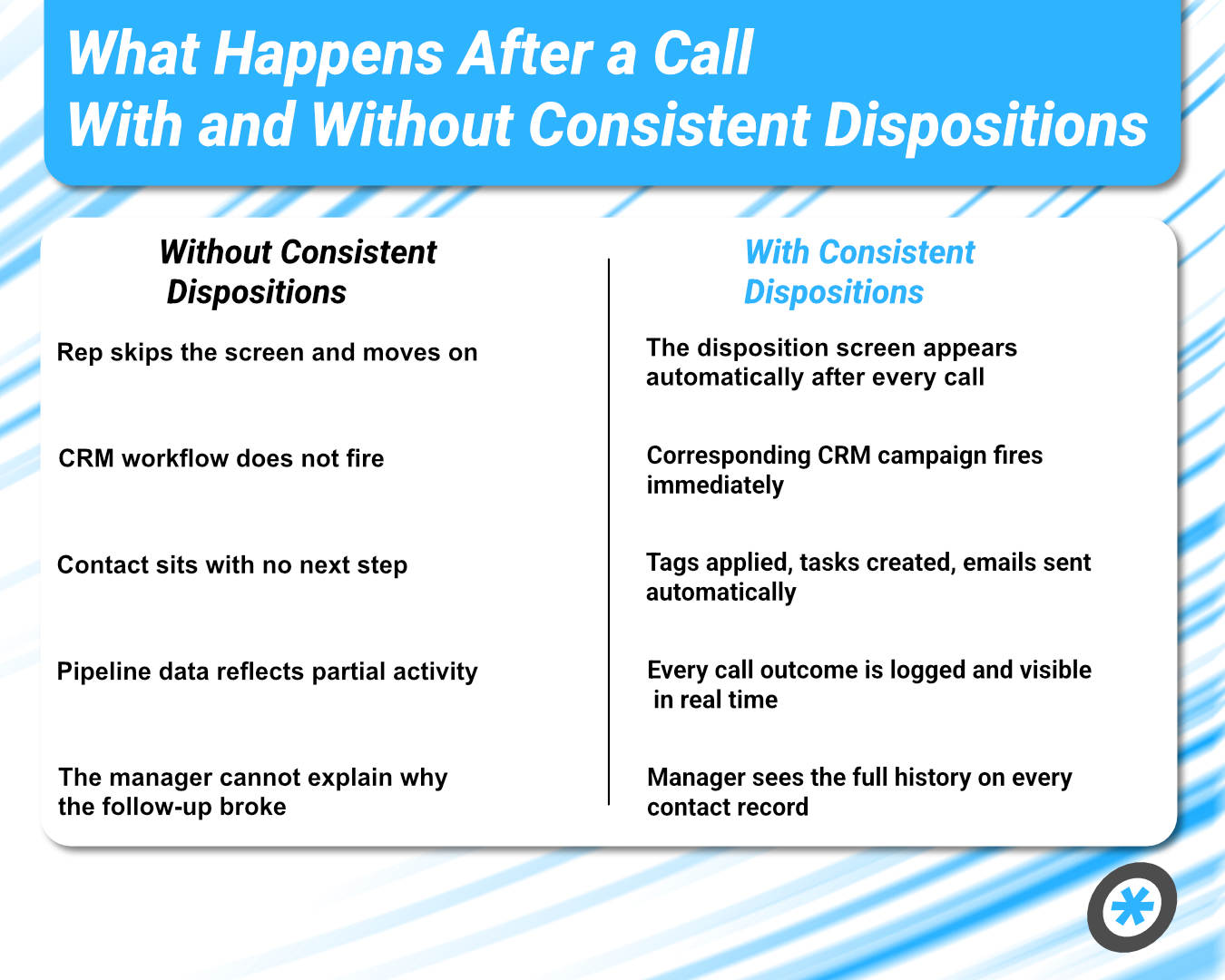
Without consistent dispositions → With consistent dispositions
- Rep skips the screen and moves on → The disposition screen appears automatically after every call
- CRM workflow does not fire → Corresponding CRM campaign fires immediately
- Contact sits with no next step → Tags applied, tasks created, emails sent automatically
- Pipeline data reflects partial activity → Every call outcome is logged and visible in real time
- The manager cannot explain why the follow-up broke → Manager sees the full history on every contact record
What Your Follow-Up Automation Looks Like When Dispositions Run Every Time
Your team built the sequences, and the logic is correct.
What was missing was the trigger. Every contact that fell through your pipeline did so because a rep finished a call without updating the CRM. One skipped screen. One wrong selection. One disposition was logged in the wrong bucket. And the workflow that should have followed never started.
That single missed step is the most preventable source of pipeline gaps in an outbound sales operation.
Now that you know where the gap lives, the fix is structural.
Make disposition logging unavoidable. When the screen appears after every call, and the rep cannot advance without selecting an outcome, your CRM workflow automation runs as you designed it for every contact, every time.
TurboDial connects directly to AgencyZoom, Keap, and ActiveCampaign. Every disposition fires the corresponding CRM campaign. Every call, voicemail, and text log is automatically routed to the correct contact record.
Book a demo to see how TurboDial fires disposition-triggered CRM workflows in real time and keeps your follow-up automation running on every contact.
Frequently Asked Questions
What is a call disposition in a CRM?
A call disposition is the outcome a rep selects after a call ends. It tells your CRM what happened on the call and triggers the corresponding workflow, whether that is a follow-up email, a task assignment, or a stage change.
How do call dispositions trigger CRM workflow automation?
The moment a rep saves a disposition in TurboDial, the corresponding campaign in your CRM fires. Tags get applied, tasks get created, and emails go out automatically.
Why is my CRM workflow automation not running after every call?
Inconsistent disposition logging is the most common cause. A skipped screen or a wrongly selected outcome means the CRM never receives the instruction to fire the workflow.
What is the difference between a dialer that logs calls and one that triggers CRM workflows?
Logging a call records that a conversation happened. Triggering a CRM workflow fires the automated actions that should follow. TurboDial does both the moment a rep saves a disposition.
How does TurboDial ensure dispositions are logged after every call?
Before a rep can advance to the next contact, the disposition screen appears automatically. The outcome gets logged every time because skipping it is not an option.
Ready to See TurboDial in Action?
See how TurboDial fires disposition-triggered CRM workflows in real time and keeps your follow-up automation running on every contact. Book a demo.