
Is your sales team putting in full days but coming up short on call volume?
Have you assumed the answer is more reps, only to find the numbers barely moved?
The problem is rarely effort. It is the dead time between calls that is quietly cutting your team's capacity every single day.
A rep dials, waits through rings, gets voicemail, hangs up, logs the note in different stages, updates the CRM, finds the next contact, and dials again. That sequence repeats dozens of times a day. Every repetition is time your rep is not in a conversation and revenue your team is not generating.
At TurboDial, we build power dialing tools for outbound sales teams across IT managed service providers, insurance, real estate, financial services, and sales-driven agencies. The pattern we consistently see is a team working hard within a process that limits what hard work can achieve.
In this article, you will learn the five specific reasons manual dialing limits your team's output, where the time is actually going, and what changes when a power dialer removes that friction.
Your Reps Are Spending More Time Between Calls Than On Them
Track a manual dialer's day in detail, and the pattern is consistent. A significant portion of their time goes to the work surrounding calls rather than to the calls themselves.
Finding the next contact. Dialing. Waiting through rings. Leaving a voicemail. Logging the outcome. Moving to the next record.
A power dialer with voicemail drops removes the gap between calls so your reps spend their day in conversations.
When the call ends, dispositioning can trigger campaigns and automatically start dialing the next contact on the list. Your rep's job is handling the conversations that connect.
The math is straightforward:
- 3 minutes lost between each manual call
- 60 calls per day per rep
- 3 hours per day spent on mechanics, not selling
A power dialer gives most of that time back in live conversations.
Voicemail Is Eating Hours Your Team Will Never Get Back
On a typical outbound list, a rep reaches voicemail on 60-70% of calls. Each one follows the same sequence: wait for the beep, deliver the message, hang up, move on.
If a rep leaves 40 voicemails in a day and each one takes 45 seconds to deliver, that is 30 minutes spent repeating the same message. Across a week, that is two and a half hours. Across a month, it approaches ten hours per rep.
Voicemail drop lets your rep click once, move to the next call, and never stay on the line to deliver the same message again.
A rep records a message once for each scenario their calls cover. When an answering machine picks up, the rep selects the right recording, clicks once, and moves on while the message plays.
Manual Logging Creates Gaps That Break Your CRM Data
A rep moving quickly skips a note here, forgets a tag there, and by the end of the day, the CRM reflects a partial picture of what actually happened. The faster a rep moves, the less time they spend on each record.
When a power dialer automatically logs every call, your CRM stays up to date without your reps having to touch it.
When a call ends, the outcome logs to the contact record without the rep entering anything. Call notes include the caller, timestamp, duration, and a link to the recording.
Reports reflect what actually happened, and managers coach from real information.
Inconsistent Dispositions Break Your Follow-Up Automation
Most sales teams have built follow-up sequences that depend on call outcomes. Those workflows only fire when the disposition gets saved. If a rep skips the screen or logs the wrong outcome, the automation either does not run or runs incorrectly. The contact falls out of the sequence.
When the disposition screen appears automatically after every call, the follow-up automation runs on every contact without anyone having to remember to trigger it.
At TurboDial, when a rep selects a disposition, the corresponding campaign in your CRM fires immediately, applying tags, assigning tasks, and sending emails. The rep marks the call and moves on. The system handles everything after that.
Call Volume Is the One Variable Your Team Can Control Today
Closing rate, lead quality, and market conditions are difficult to move quickly. Call volume is not.
A team that makes more calls reaches more contacts. A team that reaches more contacts has more conversations. More conversations produce more opportunities to close.
Manual dialing is the most consistent source of friction limiting call volume, and a power dialer removes it without adding headcount or asking more from your reps.
The conversations are still theirs to handle. The outcomes still depend on skill and preparation. But the number of opportunities your team creates in a day goes up when the mechanics stop getting in the way.
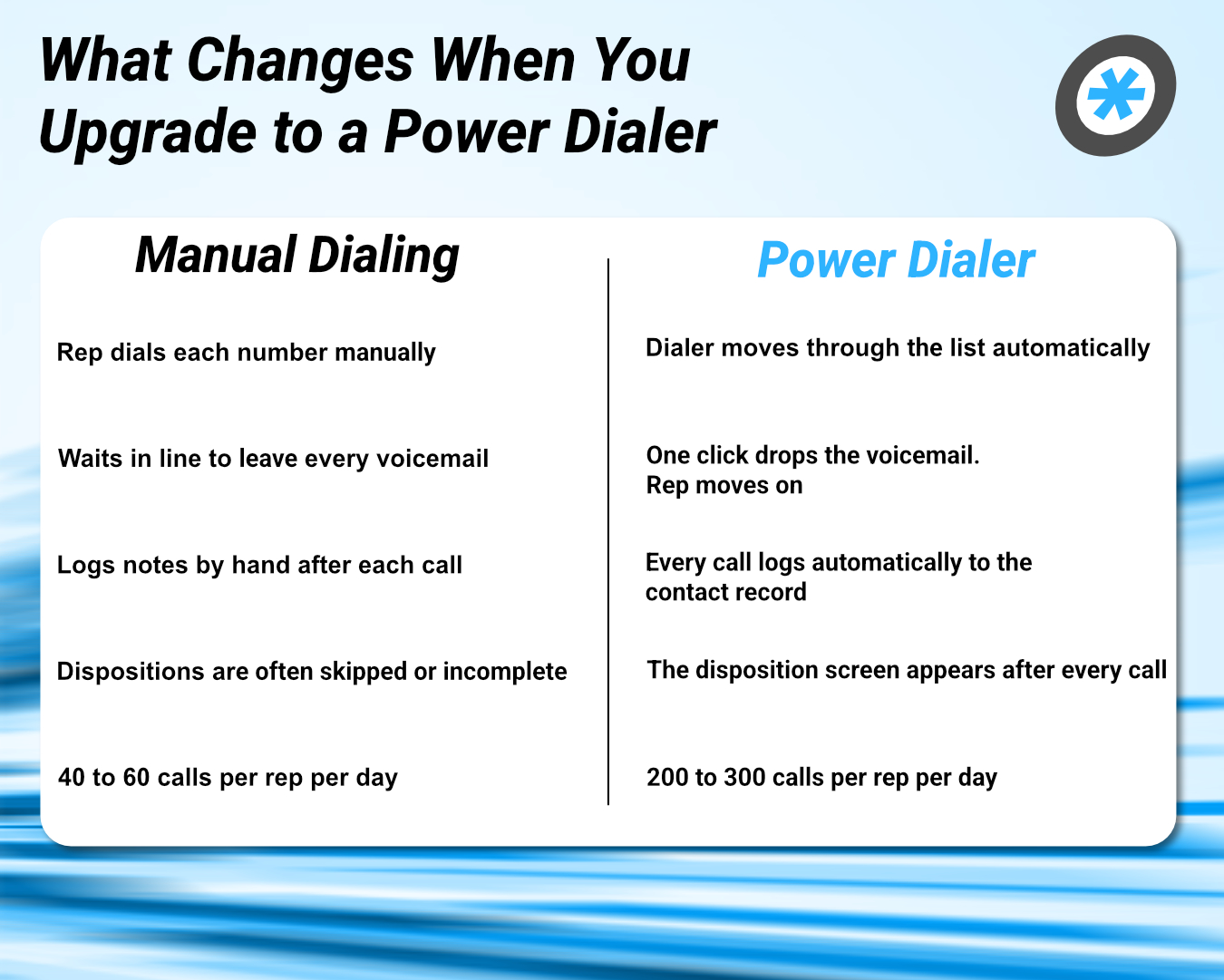
What Changes When a Power Dialer Replaces Manual Dialing
Manual dialing → With a power dialer
- Rep dials each number manually → Dialer moves through the list automatically
- Waits in line to leave every voicemail → One click drops the voicemail. Rep moves on
- Logs notes by hand after each call → Every call logs automatically to the contact record
- Dispositions are often skipped or incomplete → The disposition screen appears after every call
- 40 to 60 calls per rep per day → 200 to 300 calls per rep per day
What Your Sales Team Looks Like When Dialing Is No Longer the Bottleneck
Your team has been working hard inside a process that limits what hard work can produce. Dialing manually, waiting on voicemails, logging calls by hand, and managing follow-up sequences that depend on reps remembering to save every disposition.
The five reasons in this article are not separate problems. Every incorrectly logged call breaks the follow-up. Every voicemail that takes 45 seconds to deliver is time away from a live conversation. Every gap between calls is capacity that your team cannot recover.
The teams that close more deals at the same headcount are the ones that have stopped losing time to mechanics.
If you are ready to see how fast your team can be up and running, TurboDial is a power dialer built for outbound sales teams. It includes voicemail drop, automatic CRM logging, disposition-triggered workflows, and two-way SMS for every user at $20 per user per month. TurboDial connects directly to AgencyZoom, Keap, and ActiveCampaign.
Book a demo to see how TurboDial moves your team through a full call session, fires disposition-triggered workflows in real time, and logs every interaction automatically.
Frequently Asked Questions
How many more calls can my team make with a power dialer?
Most teams move from 40 to 60 calls per rep per day to 80 to 120 when they switch from manual dialing to a power dialer. The increase comes from removing the dead time between calls.
Is voicemail drop included, or is it an extra cost?
At TurboDial, voicemail drop is included for every user at $20 per user per month.
What CRMs does TurboDial connect to?
TurboDial connects directly to AgencyZoom, Keap, and ActiveCampaign. Every call, voicemail, and text log goes to the right contact record automatically.
How long does it take to get a team up and running on TurboDial?
Most teams are fully configured and making calls within a couple of hours. Reps can be calling within minutes of sitting down for the first time.
Ready to See TurboDial in Action?
See how TurboDial moves your team through a full call session and logs every interaction automatically. Book a demo.